CR Data

CR Data

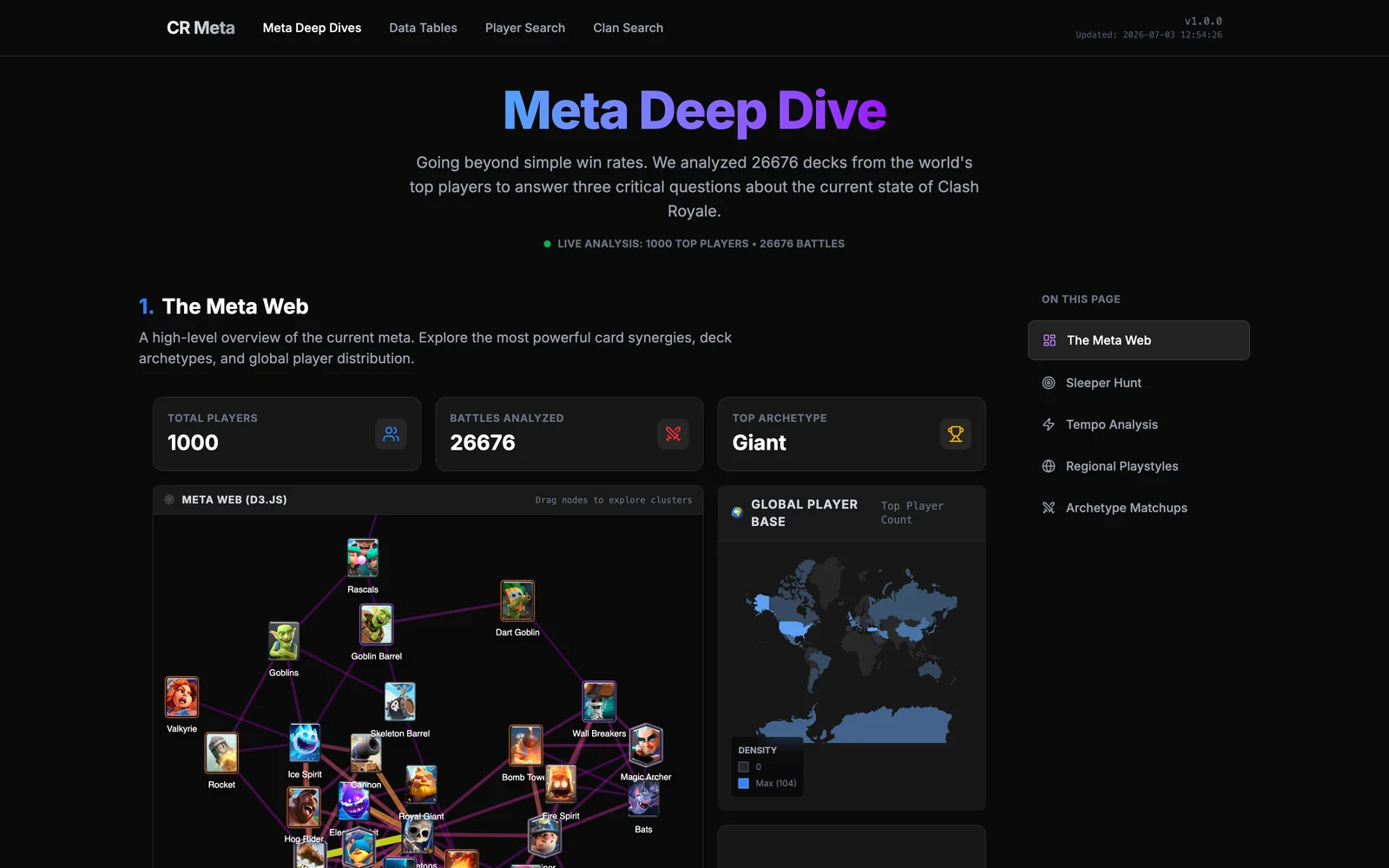
Clash Royale Data Visualization Showcase

This project consists of two parts: 1. MCP Server (mcp-server/): A Python server that connects to the Clash Royale API. Based on the work by Baighasan/Chat-Royale. 2. Visualization Dashboard (viz-dashboard/): A Next.js web application to display the data.

Prerequisites

  • Python 3.10+
  • Node.js 18+
  • Clash Royale API Key (You have already set this up in mcp-server/.env)

1. Running the MCP Server

The MCP server exposes the Clash Royale data to AI assistants or MCP clients.

  1. Open a terminal and navigate to the server directory:

    cd mcp-server

  2. Create a virtual environment (recommended) and activate it:

    python3 -m venv venv
    source venv/bin/activate

  3. Install the dependencies:

    pip install -e .

  4. Test the Server: You can use the MCP Inspector to test the server interactively.

    npx @modelcontextprotocol/inspector python src/main.py
    This will open a web interface where you can try out tools like get_player_info.


2. Running the Visualization Dashboard

The dashboard is a web app where you can view the data.

  1. Open a new terminal window and navigate to the dashboard directory:

    cd viz-dashboard

  2. Install dependencies:

    npm install

  3. Start the development server:

    npm run dev

  4. Open your browser and go to: http://localhost:3000


3. Updating the Data

The dashboard displays a static snapshot of Clash Royale meta data. This ensures fast load times and no API rate limits for users.

To fetch fresh data (e.g., daily), use the provided update script:

  1. Open your terminal in the project root.
  2. Run the update script:
    ./update_data.sh

What this does: 1. Runs viz-dashboard/scripts/fetch_meta.py to fetch the latest top 1000 player battles and card stats. 2. Generates a new meta_snapshot.json. 3. Automatically commits and pushes the new data to GitHub. 4. Triggers a redeploy on Vercel (if connected).

Note: You need a valid CR_API_KEY in mcp-server/.env for this to work.